A music player for the files and servers you already own, with a signal path you can inspect.
For Android phones and tablets, Windows 10/11 and Linux beta. Free and open source. Every processed sample runs through a 64-bit engine, and the Signal Path report says whether your samples reached the output untouched, were changed, or can't be verified from where Aurora sits.
- Part
- Aurora
- Revision
- V3.2.0, 25 Oct 2026
- Runs on
- Android 8.0+ (64-bit), Windows 10/11 x64, Linux x86_64 beta
- Not made for
- macOS, iOS
- Licence
- Apache-2.0
- Checked by
- about 1,790 automated tests
Functional block diagramone track, source to DAC
Signal Path verdict Samples preserved
Driver and DAC behavior beyond the exclusive WASAPI stream are not verified
Features
- 7 sources merge: files on the device, Navidrome or Subsonic, Jellyfin and Plex into one library; YouTube Music, Green Music App and SoundCloud join with their own views
- 64-bit processing on every processed path, edited live without clicks
- 16 stages in the processing rack, built from 18 stage types; 64 bands per Equalizer stage, 256 per rack
- 5,057 measured headphones and in-ears, and 1,083 speakers, searchable offline (Android)
- 384kHz PCM to a USB DAC on Android; WASAPI exclusive on Windows; ALSA hw: on Linux beta
- DSD1024 native or DoP over USB on Android, from DSD64; DSD64–256 verified on a FiiO KA13‡
- 20ms analysis frames for Follow vocals, which times lyrics to the singing (Android)
- 31 visualizer styles, 4 interface styles, 17 languages
Description
Aurora started in June 2026 as an Android player. It now runs on Windows and, in beta, on Linux, sharing its library, server and sound-processing code across all three.
Everyday listening needs none of the audio settings. The advanced parts are there when you want them, and the app says plainly when something is experimental or off by default.
‡Native DSD64–256 and DoP64–128 are verified on a FiiO KA13. Higher rates and other DACs are experimental and off by default.
Files and servers merge into one library, and streaming tracks play your own copy when you have one
Sign in to as many sources as you like. Files on the device, Navidrome or any Subsonic server, Jellyfin and Plex blend into one library, where copies within ±4 s become one row that plays the best of them. YouTube Music, Green Music App and SoundCloud keep their own Home, Library and Search, and play a copy you own when one matches.
| Capability | On this device V1.0.0 Android, Windows and Linux beta | Navidrome or SubsonicV1.0.0 Android, Windows and Linux beta | Jellyfin V1.0.0 Android, Windows and Linux beta | Plex V2.6.1 Android, Windows and Linux beta | YouTube Music† V2.4.0 Android, Windows and Linux beta | Green Music App†‡ V3.0.0 Android, Windows and Linux beta | SoundCloud† V3.1.0 Android, Windows and Linux beta |
|---|---|---|---|---|---|---|---|
| Sign-in | None | User name, password | User name, password | Plex token | Optional; Google, in the app | Its own page, in the app | Optional; its own page |
| Best audio | The file itself | Original file§ | Original file§ | Original file§ | Opus or AAC, lossy | YouTube match, lossy | AAC 160 kbps |
| Changes you make | Likes, playlists, tags | Stars, playlists | Favourites, tags, playlists | Ratings, playlists | Likes, playlists, follows | Likes, playlists, follows | Likes, playlists, follows, comments |
| Lyrics from | LRCLIB | Server, synced | Server, word-timed | Server, LRC | LRCLIB | Its own, line-synced | LRCLIB |
| Extras | Tag editor, AcoustID | Folders, radio | Folders, similar-songs radio | Shelves, station radio | Music videos, live | Canvas, its own radio | Timed comments |
| Downloads | Already there | Original or MP3§ | Original or MP3§ | Original or MP3§ | Opus or AAC, as is | The YouTube match | One AAC file |
| Plays reported‖ | None | Scrobbles | Playback sessions | Timeline | YouTube history | None | SoundCloud history |
| In the merge | Library, always in | Library | Library | Library | Own views | Own views, one account | Own views |
| Desktop app | Yes, music folders | Yes | Yes | Yes | Yes | Yes | Yes |
Ferry Lines on YouTube Music plays your FLAC 96 kHz 24-bit from the phone. The like stays on YouTube Music; a play from your Navidrome copy would scrobble to Navidrome, and one from the phone reports to no service.
9 rows × 7 sources†Unofficial integrations: a change at the service can break them.
‡We don't print this service's name. Its audio never comes from the service: a copy you own plays, otherwise a matching YouTube recording, which can be another take.
§The original file unless you set a cap: 128–320 kbps on Wi-Fi or mobile data, or about 96 kbps with Data saver on mobile data, and the server sends MP3 instead. Downloads offer the same choice.
‖Last.fm and ListenBrainz scrobble plays from every source except radio and podcasts.
Extension libraries (Android, beta) are read-only and never merge; internet radio and podcasts sit beside the library. How the merge works, step by step, and full data sheets for YouTube Music, Green Music App and SoundCloud: full specification.
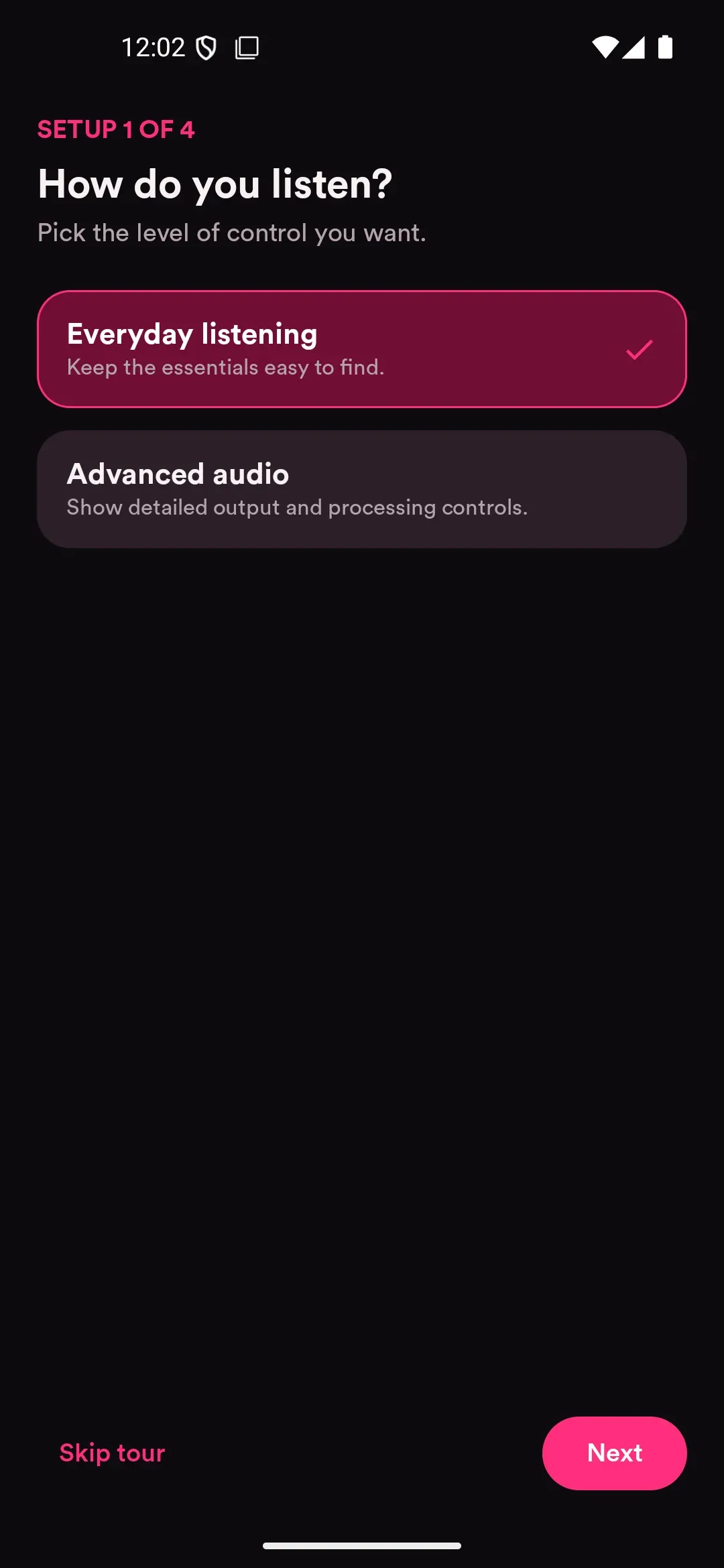
How do you listen? Aurora asks this first, in any of its 17 languages.
English. Setup 1 of 4, as Aurora asks it. One of 17 languages, about 2,820 strings each.
-
Everyday Listening
Keep the essentials easy to find.
-
Advanced Audio
Show detailed output and processing controls.
On this page: Sound Output the block diagram above
Your answer shapes the setup checklist that follows.
Arabic and Urdu are translated in full; the app's layouts don't mirror right to left yet.
Word-by-word lyrics, timed to where the voice actually sings
Word by word: Android, Windows and Linux beta, the default · Follow vocals: Android, off by default · Since V2.9.0
Most synced lyrics only mark where a line starts. Aurora fills each word from the song’s own syllable pace, and Follow vocals goes further: it analyses the track on the phone in 20 ms frames, watches the centre-panned 180–3,800 Hz band where a lead voice sits, and finds where the singing starts, breathes and stops. A dynamic-programming aligner then puts each word break on a pause or a new note, and avoids breaking inside a held one.
| Parameter | Value | Unit |
|---|---|---|
| Analysis frame | 20 | ms |
| Vocal band | 180–3,800 | Hz |
| Drum rejection | 9 | frames |
| Singing threshold | Otsu | |
| Break rewarded at | ≥ 350 | ms |
Ferry lines are folding up the evening air nl · on device‖ De veerlijnen vouwen de avondlucht op
Otsu separation 6.92; below 1.6 the estimate stays
‖ On-device translation with ML Kit. Since V3.0.0. Off by default, Android only. It translates into the app’s language, skips lines already in it, and downloads each ~30 MB language pack once, over Wi-Fi.
Corrections fitted on the device, from real measurements to a target you pick
Start from the bundled offline index of 5,057 measured headphones and in-ears and 1,083 speakers (Android), search squig.link for a live in-ear measurement, or import your own REW, Squig, AutoEq or Wavelet file. Aurora fits peaking filters against Harman, diffuse-field, JM-1 or your own target, sets a negative preamp so boosts can't clip, and can bind the result to the output it was made for, down to a USB DAC's serial number.
Made in your browser. This page plays through your browser's mixer, so it can't be bit-perfect itself. Web Audio has 8 filter types to the app's 14; these shelves and peaks match the fit exactly.
Drag a filter, or use the arrow keys: left and right move it by a twelfth of an octave, up and down change its gain by 0.5 dB, and Shift moves four times as far. Page Up and Page Down change a peak's Q. Home and End go to the gain limits.
Error, RMS 20 Hz–10 kHz · edited
Error 3.98 dB before correction, 0.30 dB after 10 filters.
| Filter | Type | Fc | Gain | Q |
|---|---|---|---|---|
| 1 | LSC | 105 Hz | +6.3 dB | 0.71 |
| 2 | HSC | 10 kHz | +2.3 dB | 0.71 |
| 3 | PK | 2.34 kHz | +6.6 dB | 1.35 |
| 4 | PK | 6.03 kHz | −6.6 dB | 4.52 |
| 5 | PK | 8.53 kHz | +5.6 dB | 5.28 |
| 6 | PK | 182 Hz | +1.5 dB | 0.79 |
| 7 | PK | 752 Hz | −1.8 dB | 1.74 |
| 8 | PK | 388 Hz | +1.0 dB | 2.09 |
| 9 | PK | 15.5 kHz | +2.4 dB | 3.51 |
| 10 | PK | 9.68 kHz | +1.5 dB | 6.00 |
| Preamp | −6.6 dB | |||
Equalizer APO text
Preamp: -6.6 dB
Filter 1: ON LSC Fc 105 Hz Gain 6.3 dB Q 0.71
Filter 2: ON HSC Fc 10000 Hz Gain 2.3 dB Q 0.71
Filter 3: ON PK Fc 2342 Hz Gain 6.6 dB Q 1.35
Filter 4: ON PK Fc 6032 Hz Gain -6.6 dB Q 4.52
Filter 5: ON PK Fc 8534 Hz Gain 5.6 dB Q 5.28
Filter 6: ON PK Fc 182 Hz Gain 1.5 dB Q 0.79
Filter 7: ON PK Fc 752 Hz Gain -1.8 dB Q 1.74
Filter 8: ON PK Fc 388 Hz Gain 1.0 dB Q 2.09
Filter 9: ON PK Fc 15540 Hz Gain 2.4 dB Q 3.51
Filter 10: ON PK Fc 9682 Hz Gain 1.5 dB Q 6.00
In the app, every processed path runs on 64-bit float samples, and a setting changed mid-song crossfades to the new effect graph at a block boundary, so there's no click.
| Parameter | Value | Notes |
|---|---|---|
| Processing rack | ||
| Stages in the processing rack | 16 | run top to bottom, reorderable, each with wet/dry and bypass |
| Stage types | 18 | |
| Bands per Equalizer stage | 64 | |
| Bands across the rack | 256 | 512 biquad sections in total |
| Inputs per stage | 4 | stereo, left, right, mid, side, M/S encode and decode; branches delay-compensated up to 2 s |
| Filter types | 14 | |
| Equalizer and corrections | ||
| Bands in the quick EQ | 12 | |
| Bands in an AutoEQ or squig.link correction | 12 | the squig.link generator makes up to 10 |
- Peak bell, gain and Q
- Low shelf gain below Fc
- High shelf gain above Fc
- Low pass 12 dB/oct
- High pass 12 dB/oct
- Band pass Q sets the width
- Notch Q sets the width
- All pass phase shown
- Tilt two shelves around Fc
- Butterworth LP 12–48 dB/oct
- Butterworth HP 12–48 dB/oct
- Linkwitz–Riley LP 24 or 48 dB/oct
- Linkwitz–Riley HP 24 or 48 dB/oct
- Custom biquad 5 coefficients
Bit-perfect paths on the phone, on Windows and on Linux beta
USB Direct on Android · WASAPI exclusive on Windows · ALSA hw: on Linux beta · Off by default; switched on per device · Since V2.1.0 (USB), V2.7.0 (Windows), V2.8.0 (Linux beta)
On Android, Aurora brings its own user-space USB Audio Class driver, so samples reach a DAC without passing Android's mixer. In Direct mode they are left alone: the volume keys move the DAC's own volume, and its clock is read back to check it runs at the rate asked for. On Windows the same job is done by WASAPI exclusive mode, on Linux beta by a direct ALSA hw: device; on both, Aurora's volume sets the DAC's own volume when it has one. When a device refuses a format, Aurora falls back and says why.
| Parameter | Conditions | Min | Typ | Max | Unit |
|---|---|---|---|---|---|
| Engine, all platforms | |||||
| Internal sample format | Every processed path | not specified | binary64 | not specified | 53-bit significand |
| Output rate policy | Follow source, fixed, or highest compatible | 44.1 | not specified | 384 | kHz |
| Android, USB Audio Class 1 and 2 | |||||
| PCM rate | Isochronous, async feedback; DAC clock read back and checked | not specified | not specified | 384 | kHz |
| Word length | Mono or stereo | 16 | not specified | 32 | bit |
| DSD, native or DoP | Direct mode only* | DSD64 | not specified | DSD1024 | 2.82–45.16 MHz |
| Desktop, exclusive mode | |||||
| WASAPI exclusive, Windows | 16, 24, 24-in-32 or 32-bit integer§ | 44.1 | not specified | 384 | kHz |
| ALSA hw:, Linux beta | Pick the card itself, not the PipeWire entry | 44.1 | not specified | 384 | kHz |
| Path | Volume control | Samples |
|---|---|---|
| Android, Direct USB | The DAC's hardware volume, following the phone's media volume through its USB feature unit | untouched |
| Android, Processed USB | Software volume in the 64-bit engine | modified |
| Windows or Linux beta, exclusive | The DAC's own volume when it has one; otherwise software volume, which does nothing at 100% | untouched with DAC volume, or at 100% |
| Android, system output speaker, Bluetooth, USB through Android | Android's mixer | unknown; on Android 14+ Aurora can ask for the system's bit-perfect USB mixer |
*A DAC's advertised DSD rate alone doesn't guarantee it works. For experimental rates, disconnect your headphones until the DAC confirms DSD mode and start at low volume.
§Driver and DAC behaviour after the WASAPI or ALSA stream is reported as unknown, not as verified. Software volume below 100% (when the DAC has no volume control of its own), ReplayGain, crossfade and DSP all change samples, and Signal Path says so.
All 16 characteristics, with conditions: full specification.
Signal Path verdict Samples preserved
- Driver and DAC behavior beyond the exclusive WASAPI stream are not verified
Aurora Signal Path · diagnostic v1
State: Active
Sample preservation: Preserved
- Driver and DAC behavior beyond the exclusive WASAPI stream are not verified

Source: flac · FLAC · 2764800 bit/s
Format: 96000 Hz · 24-bit · 2 channels · integer PCM
Evidence: FFmpeg stream probe; upstream transcoding history may be unknown

Decoder: FFmpeg flac
Format: 96000 Hz · 64-bit · 2 channels · float PCM
Evidence: FFmpeg decoder output converted to binary64 stereo

Processing: No active Aurora sample-processing node
Evidence: Current chain configuration and runtime processing state

Resampling: Following source rate
Evidence: Configured chain rates

Output: Exclusive WASAPI stream · 24-bit integer in 32-bit container
Format: 96000 Hz · 24-bit · 2 channels · integer PCM
Evidence: Open WASAPI stream format

Device: Selected output · DAC hardware volume −12.0 dB
Evidence: Active WASAPI endpoint; hardware format and downstream processing unknown

Latency: Rack: 0 frames · SRC: 0 frames · Tail: 0 frames
Evidence: Compiled processor delay; output buffer and hardware latency are not included

Hardware behavior beyond the reported output boundary is not verified.
Windows · WASAPI exclusiveDirect
compared 12 words differ 0
| Rate | Carrier, MHz | To PCM | DoP | Native |
|---|---|---|---|---|
| DSD64 | 2.8224 | yes | tested | tested |
| DSD128 | 5.6448 | yes | tested | tested |
| DSD256 | 11.2896 | yes | experimental | tested |
| DSD512 | 22.5792 | yes | experimental | experimental |
| DSD1024 | 45.1584 | yes | experimental | experimental |
Tested means verified on the FiiO KA13, the reference DAC. Experimental rates sit behind an off-by-default switch. DSF and DFF, mono or stereo; DST-compressed DFF at DSD64.
Ferry Lines and Keepsake are invented for this page.
Mix plays an album or playlist as one continuous set, and works out every join on the phone
Tap Mix and Aurora keeps your track order but treats each change like a DJ would. Tempos within 6% are matched and the incoming cue snaps to the beat; on those beat-matched joins the bass of one track hands over to the next instead of doubling up. Similar keys get 16 beats, others 8. Loudness is levelled toward the set's median by cutting, never by boosting.
Mix Studio opens any mix as a multitrack arrangement of up to 8 layers, each clip with its own cues, fade, gain, pan, three-band EQ, tempo (0.5–2×) and pitch (±12 semitones). Stems play the vocals or the backing alone: the UVR MDX-Net Voc_FT model separates them on the phone after a one-time 64 MB download, and the audio never leaves the device.
Your listening, counted on your device and kept there
Statistics and recaps for every day, week, month, year and all time are built in. A play counts after 30 seconds, or half of a shorter song. Once you set up detailed statistics, Aurora also records when and how you listen, and what share went out lossless, hi-res or bit-perfect. That data sits in storage left out of backups and is never uploaded.
Arrow keys move between hours and days. Enter or Space starts a selection, and Enter or Space again ends it. Shift with an arrow key extends the selection. Escape returns to the default slice, Sat–Sun 20:00–23:59.
- Slice
- Sat–Sun 20:00–23:59
- Listening
- 3h 8min
- Plays
- 41
- Average session
- 57min
- Top artist
- The Quiet Engines
- Top genres
- ambient, folk, electronic
- Outputs
- USB 70% · wired 30%
Outputs, whole week: wired 41% · USB 30% · Bluetooth 25% · phone speaker 4%
Example data for a fictional listener. Shares are weighted by listening time.
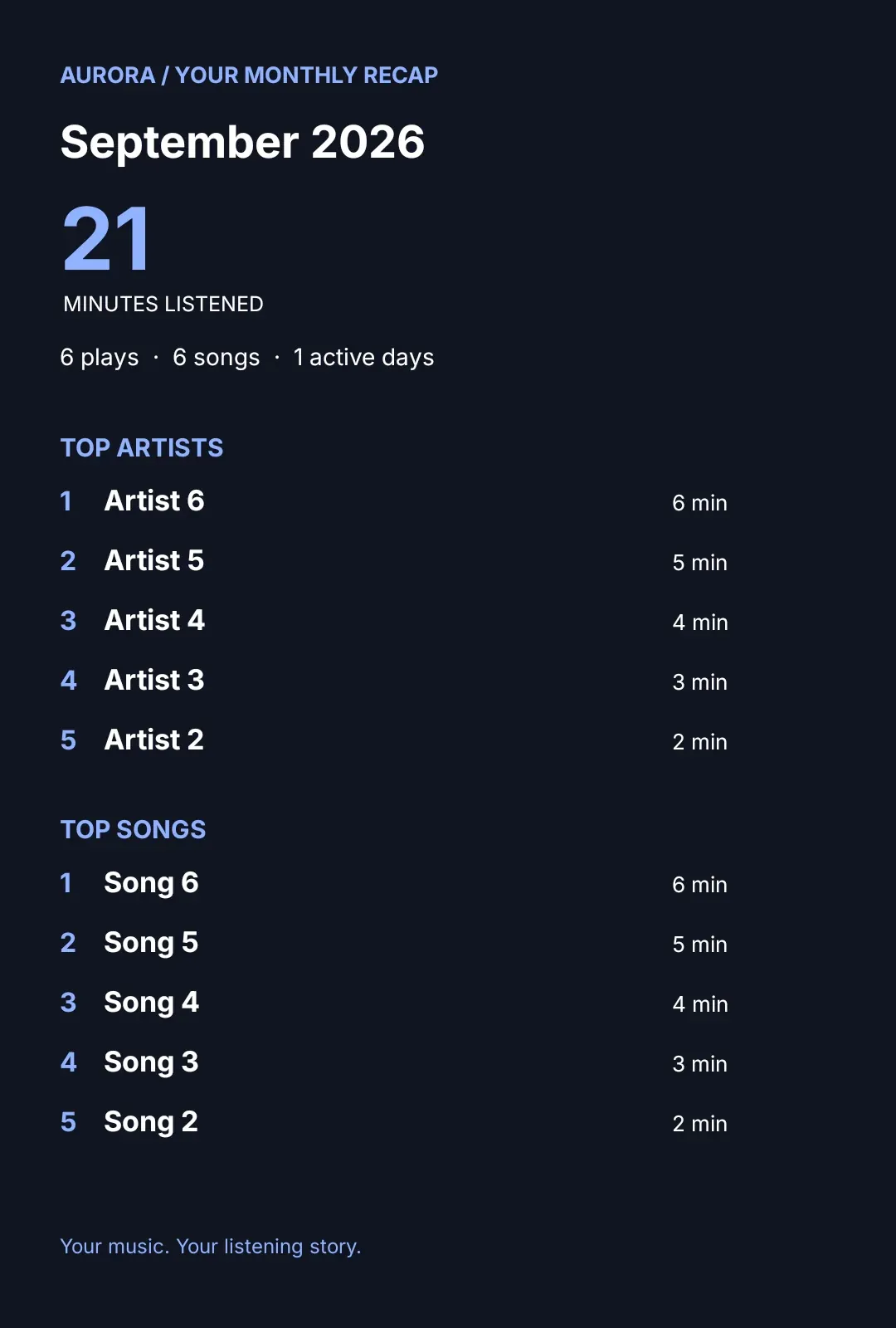
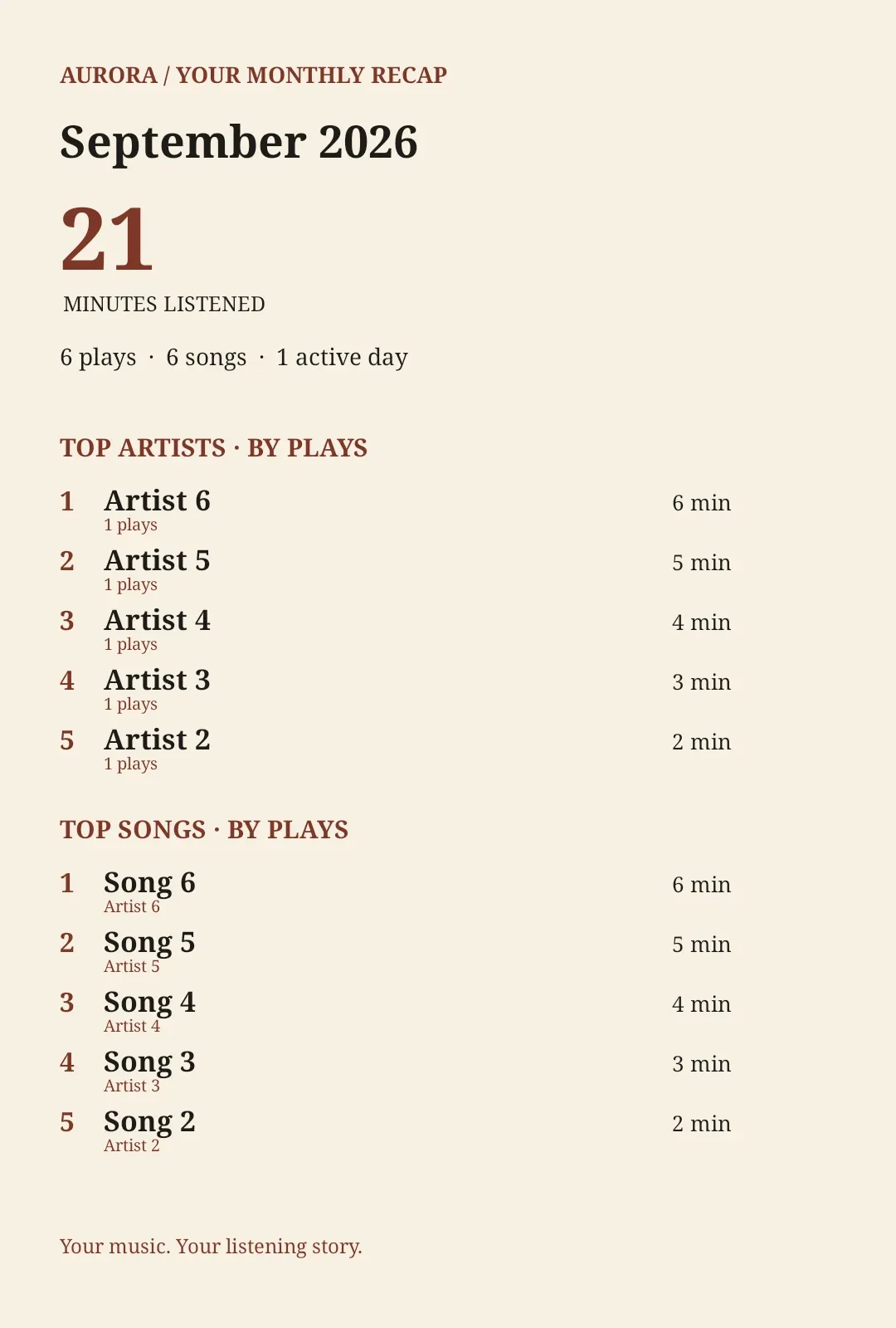
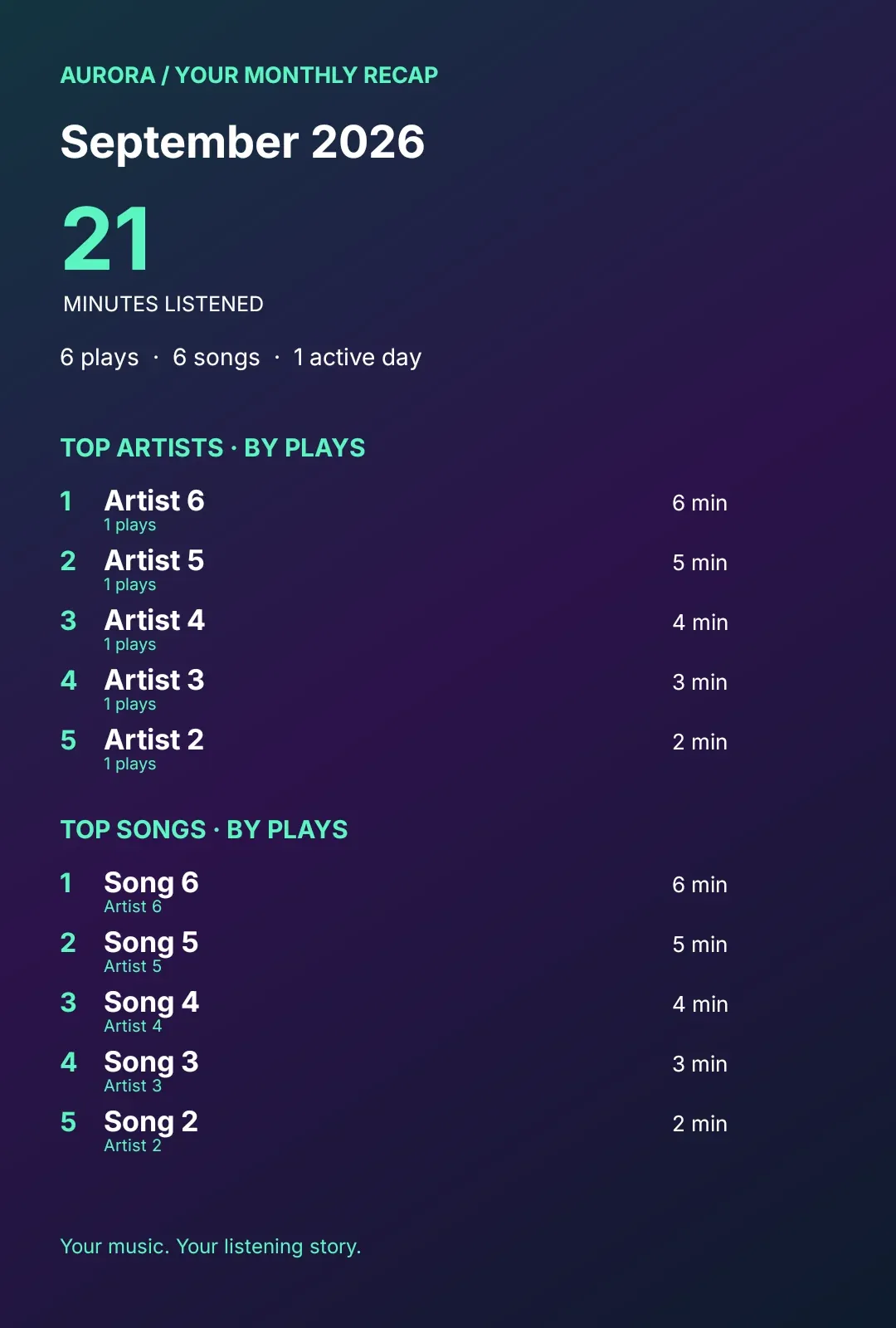
Recap picture1080 × 1600
Places and the map, Private Session, scrobbling and the recap inbox: full specification.
Four interface styles, and album pages that take the cover's colour
Aurora, Retro hi-fi, Aero and Liquid Glass each have their own controls, surfaces, type, corners and colours. In the Aurora style, album, artist and playlist pages take their colour from the artwork, picked in the order shown here: vibrant first, then light vibrant, dominant and muted, lifted or darkened if it would vanish against the page.


Specimen · the Now Playing screen, redrawn for each style Liquid Glass · drag the lens along the tab bar, or focus it and use the arrow keys
Sampled from the cover · pick order
- Vibrant none
- Light vibrant #F87858 picked
- Dominant #102028
- Muted #907868
Plate #F2DCD0 · text #AD3311 · 4.89:1 Plate #382020 · text #F87858 · 5.60:1
- Vibrant #30A878 picked
- Light vibrant none
- Dominant #082820
- Muted none
Plate #D6E2D4 · text #006C48 · 4.84:1 Plate #1C2725 · text #30A878 · 5.12:1
- Vibrant #6888B8 picked
- Light vibrant #90C0F8
- Dominant #081030
- Muted #5878A0
Plate #DEDEDD · text #415F8C · 4.81:1 Plate #24232E · text #7191C2 · 4.82:1
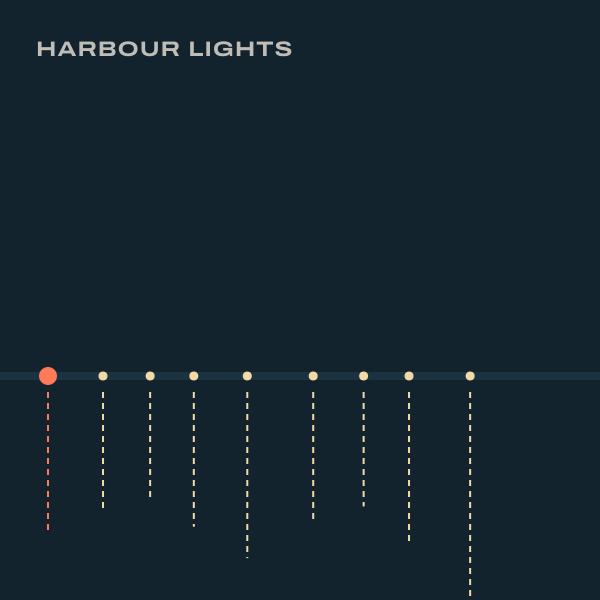
Sampled at build time from these covers with a port of the app's rule. The covers are drawn from each album's own tracklist: one light per track on Harbour Lights, one pane per track on Glasshouse Weather.
Silent preview, drawn from the test signal's score
Made in your browser. This page plays through your browser's mixer, so it can't be bit-perfect itself.
* Live refraction in Liquid Glass, where the tab bar and mini player bend and blur what scrolls beneath and a lens follows your finger, needs Android 12 or newer. On Windows and Linux (beta), Glass is a static glass-style palette.
System, Light, Dark or AMOLED modes, typefaces, text size, corners and launcher icons: full specification.
Eighteen releases in four months, from one developer and one regular contributor
nessli420, creator · shuja, Linux beta port and packaging, ALSA output, 14 translations, YouTube downloads, USB Audio Class 1 · Apache-2.0
Arrow keys move one day, Page Up and Page Down one week, Shift with an arrow to the next day with commits or a release.
308 commits by two people · git 220c89b
Report to fix
Hours from an outside report on GitHub to a fix on main.
Median 13 h across all nine.
Errata
- Windows installers aren't code-signed, so SmartScreen may ask before the first launch.
- The Gapless switch is saved but not read. Playback is gapless either way.
- Scrobbles that fail offline aren't retried later, for Last.fm or ListenBrainz.
- Arabic and Urdu are translated, but layouts don't mirror right to left yet.
- On GNOME the tray needs AppIndicator; without a keyring, passwords last until Aurora closes.
- Lyrics embedded in local files and .lrc sidecars aren't read yet; local tracks use LRCLIB.
- A backup made with Include sign-ins holds login tokens and API keys in plain text. Keep it private.
Found another? Report it
On GitHub now
Connecting to GitHub
- Downloads, all platforms
- —
-
- Android —
- Windows —
- Linux beta —
- Stars
- —
- Commits
- —
- Releases
- —
Latest release
All releasesRecent commits
All commitsLive numbers from GitHub load with JavaScript. The repository, its releases and its commits are public:
Download V3.2.0
Packagesa hint from your browser Phones and tablets share one APK. Windows has two installers, Linux beta three packages. You're on Android. Aurora.apk is the one package for phones and tablets; Android asks once to allow installs from your browser or file manager. You're on Windows. The .exe installs per user; the .msi replaces an older MSI install. You're on Linux beta. Each zip holds one package: .deb for Debian and Ubuntu, .rpm for Fedora and openSUSE, the AppImage for any distribution. Your browser reports macOS or iOS. Aurora has no version for either; the packages below are for Android, Windows and Linux beta.
| Platform | File | Size | Requires | Status |
|---|---|---|---|---|
| Android your system phones and tablets | Aurora.apk | 132.3 MB | Android 8.0 or newer, 64-bit | Stable |
| Windows your system installer | Aurora-3.2.0.exe | 204.5 MB | Windows 10 or 11, x64. Java is bundled. | Stable, not code-signed |
| Windows your system MSI, replaces older installs | Aurora-3.2.0.msi | 203.6 MB | Windows 10 or 11, x64 | Stable, not code-signed |
| Linux beta your system Debian, Ubuntu and derivatives | aurora-deb.zip | 187.0 MB | x86_64, glibc 2.35 or newer | beta |
| Linux beta your system Fedora, openSUSE | aurora-rpm.zip | 189.8 MB | x86_64, glibc 2.35 or newer | beta |
| Linux beta your system any distribution | aurora-appimage.zip | 199.8 MB | x86_64, FUSE | beta |
Linux install commands, requirements and building from source: Download page. There is no macOS or iOS version.